




CapCut Pro 1 Year – CapCut Account – GLOBAL
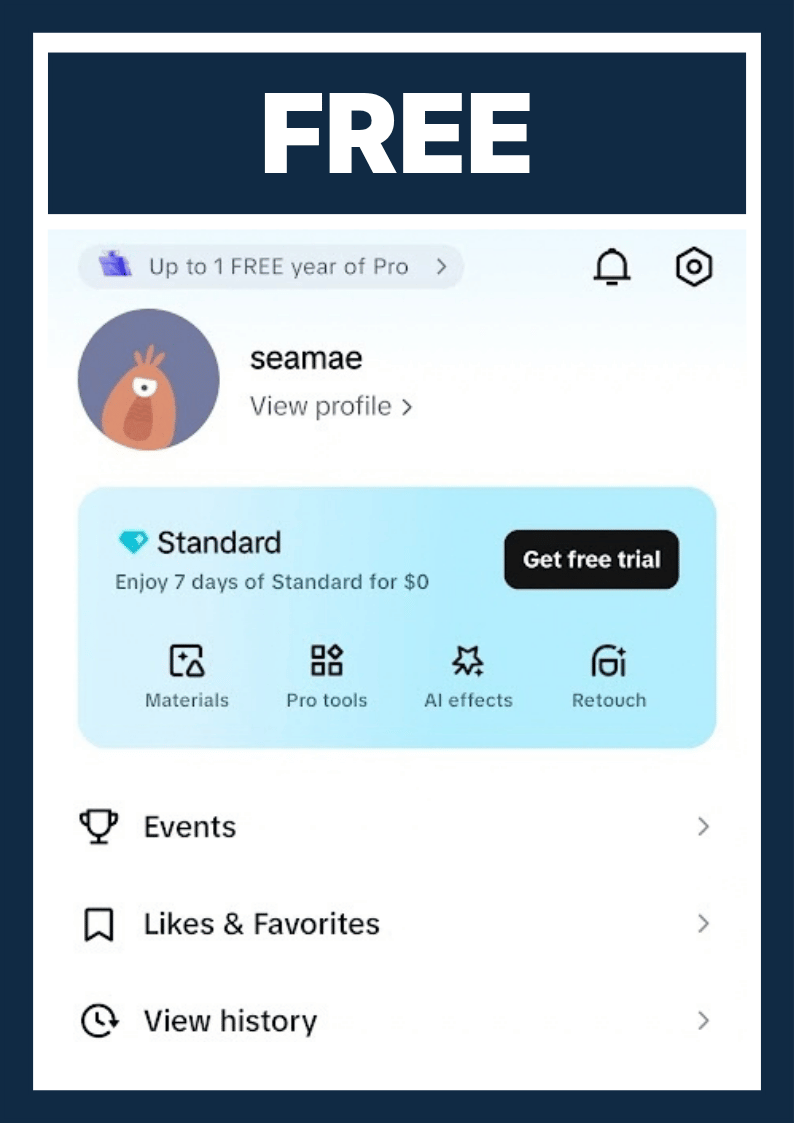
Original price was: $179.90.$49.80Current price is: $49.80.Want to edit videos and photos without overspending? Understanding CapCut price is the first step. CapCut in the US offers Free, Standard, Pro, Team, and Ultra (new) plans, covering manual editing as well as AI-generated videos and photos. Because the plans are clearly separated, you pay only for what you need and avoid buying several expensive apps to get your work done. These options suit creators in many different fields. Let's compare the plans side by side.
CapCut Pro Accounts, Plans & Comparison
CapCut price depends on the plan you pick, from $0 for Free to $79 per month for Ultra. This guide compares every CapCut plan, explains what CapCut Pro includes, and shows how to choose the right duration. Prices below come from our own checks and CapCut's published information, so confirm the final amount at checkout.

What Is CapCut?
CapCut is a cross-platform video and photo editor made for social media creators, beginners, and professionals. You can use it on mobile, desktop, and the web.
Who makes it and what it is used for
CapCut was developed by ByteDance, the company behind TikTok. Under the CapCut policy for US users, updated April 15, 2026, CapCut services in the US are operated by TikTok USDS Joint Venture LLC.
People use CapCut to:
- Trim, split, rotate, and change the speed of clips
- Add text, stickers, music, effects, filters, and transitions
- Create auto captions and lyrics
- Remove backgrounds, cut out people, and use green screen
- Fix color, reduce noise, and sync audio
- Build videos fast with ready-made templates
- Use AI to caption, translate, resize, and auto-cut scenes
- Export for TikTok, Facebook, Instagram, YouTube, and WhatsApp
Here is a simple example. A shop owner films a product on a phone. Then they add a logo, price, music, and captions from a template. They export a vertical 9:16 ad in minutes.
Mobile, desktop, and web
CapCut runs in a browser, on Windows and macOS, and on Android and iPhone. Desktop supports keyframe animation, AI captions, automatic background removal, color adjustment, and several export formats.
The web version can import from your computer, Google Drive, Dropbox, CapCut Cloud Space, or your phone through a QR code. CapCut's iPad app is listed as beta in its help center. Features, export limits, templates, cloud space, and sync can vary by country, device, and plan.
Is it safe and available in the US?
Yes, CapCut is available in the US. Reports from September 2026 show it listed on the App Store and Google Play, with its own US privacy policy for the mobile app, desktop software, and website.
CapCut is not "dangerous" when you download it from official sources. But treat it as an online service that collects data, not an offline tool. Under its US privacy policy, CapCut may collect:
- Account details such as email, phone number, or login info
- Videos, photos, audio, uploaded files, and related metadata
- Device data, IP address, operating system, app version, and crash reports
- Approximate location from your IP address or SIM region
- Usage data such as content viewed, time spent, and effects used
- Features in your videos, such as faces, bodies, objects, and speech, used to power effects and captions
CapCut says it uses data to run the service, personalize content, improve algorithms and machine learning models, moderate content, show ads, and detect fraud. It may share data with service providers and related companies as the law allows. It also says it uses encryption and security reviews, and that you can request access, download, correction, or deletion. These are CapCut's own statements, and they do not mean zero risk.
Safer habits:
- Install only from the App Store, Google Play, or the official CapCut website. Avoid APKs and cracked versions.
- Do not upload IDs, contracts, passwords, private videos, or customer data you lack permission to share.
- Grant only the camera, microphone, photo, and storage permissions you need.
- Turn off cloud sync if you do not need online backup.
- Check the privacy and ads settings in your account.
- Delete old projects and cloud files.
CapCut has been part of public debates and legal actions around TikTok and ByteDance, so availability could change with US policy, app stores, or the operating company. For the full list of CapCut tips, see blog post on CapCut privacy.
CapCut Plans Compared: Free vs. Standard vs. Pro vs. Teams vs. Ultra
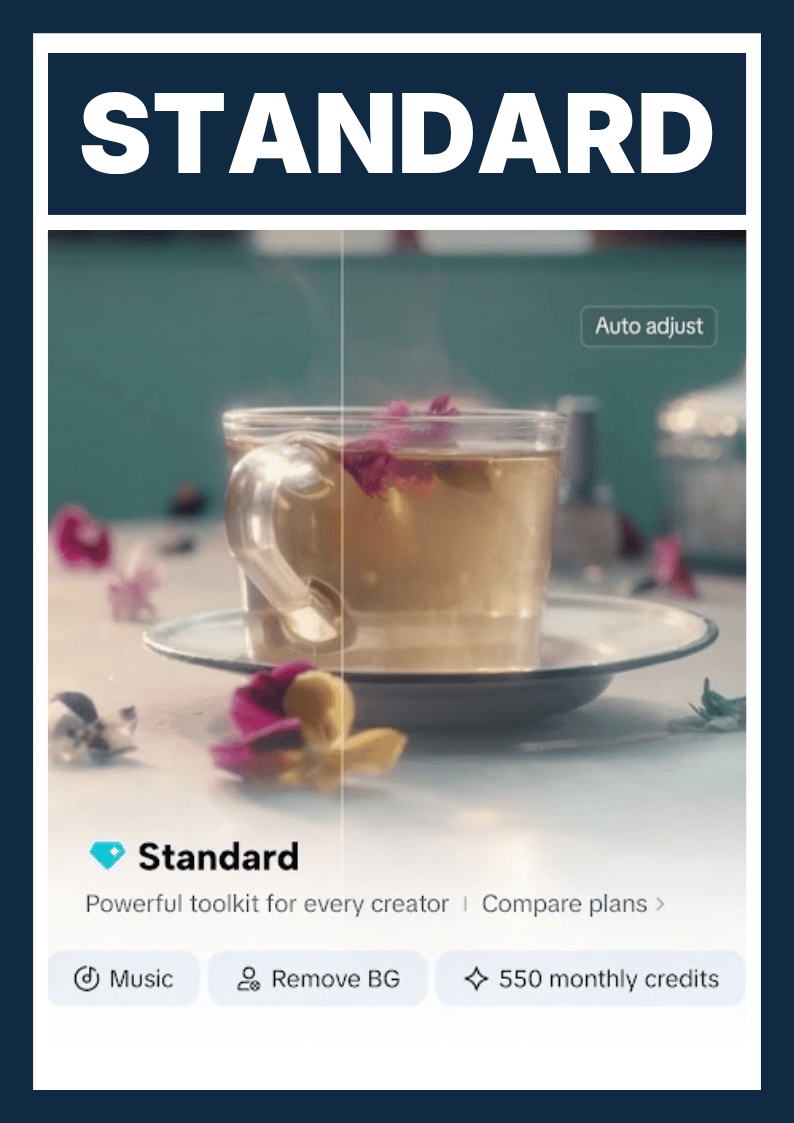
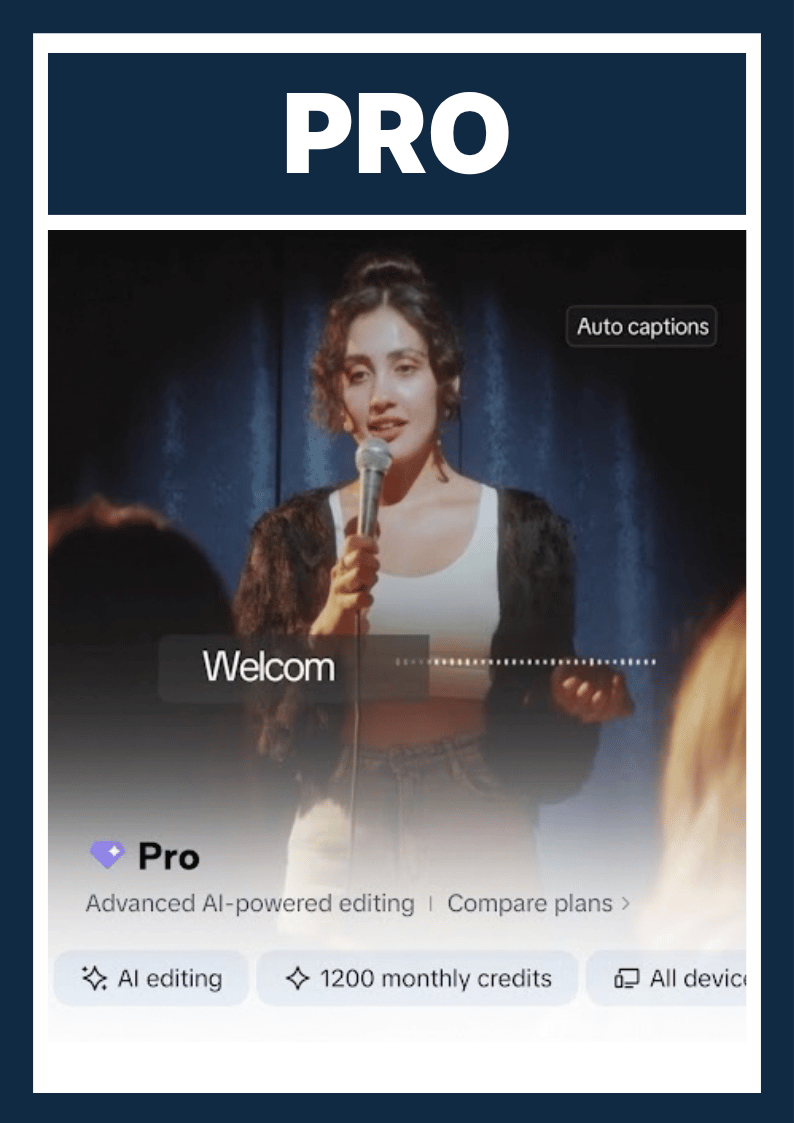
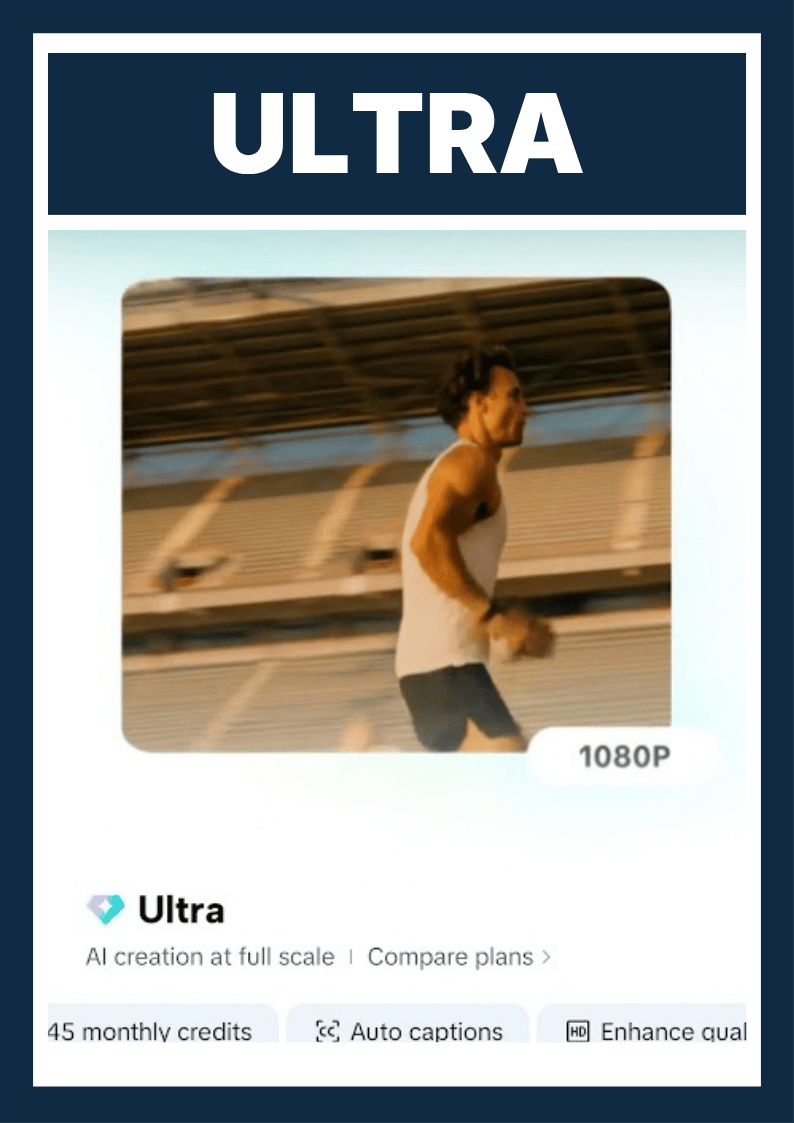
CapCut has five plans: Free, Standard, Pro, Teams, and Ultra. For most solo creators and small businesses, CapCut Pro is the plan that covers export quality, AI tools, storage, and multi-device editing in one place.
Master comparison table
| Plan | Export quality | Watermark | AI tools | Templates & assets | Cloud | Commercial use |
|---|---|---|---|---|---|---|
| Free | Up to 1080p | Possible | Basic, limited | Some free; many locked | Limited | None; check each asset |
| Standard | Up to 1080p | Usually removed | Essential | More than Free | About 100 GB | None; check each asset |
| Pro | Up to 4K/60 FPS with HDR | Removed for eligible projects | Full suite | Unlimited templates | 1 TB | Basic team features; commercial assets |
| Teams | Same as Pro | Same as Pro | Same as Pro | Team templates, brand library | 1 TB | Team workflows; commercial support |
| Ultra | Same as Pro | Same as Pro | Highest credits | Custom creative assets | 1 TB | Enterprise tools (SSO, access control) |
Export quality can vary by device, region, and project.
Price and monthly credits
| Plan | Price (US) | Monthly credits |
|---|---|---|
| Free | $0 | 0 (event credits possible) |
| Standard | About $9.99/month or $89.99/year (varies by region) | 550 |
| Pro | About $19.99/month or $179.99/year | 1,200 |
| Teams | Varies by seats, country, and billing cycle | 1,200 |
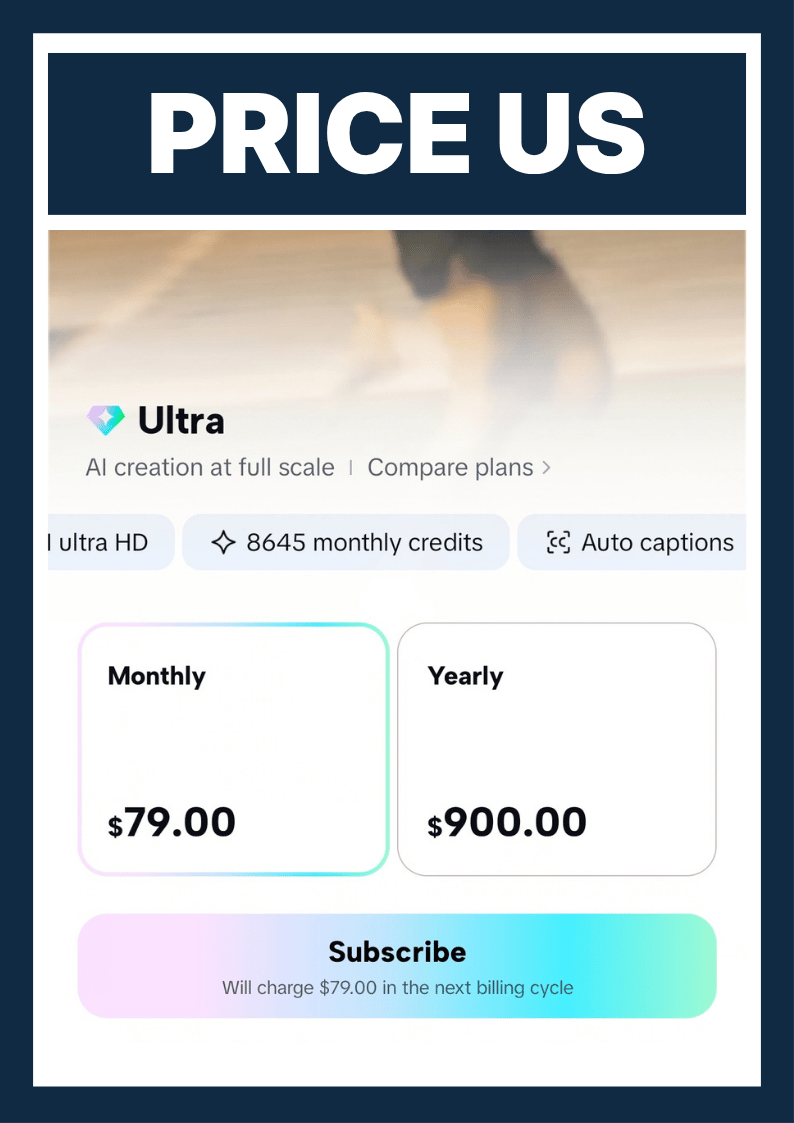
| Ultra | $79/month or $900/year | 8,645 |
Prices vary by region and store, and they change over time.
CapCut Free: what you get and the limits
CapCut Free costs $0 and works for short videos on TikTok, Facebook, Reels, or personal projects. You get:
- Trim, merge, split, speed, and audio tools
- Some free filters, effects, fonts, and templates
- A small set of basic AI tools
- Common export quality such as 1080p, depending on device and project
- Editing on several platforms, though free features are uneven
The main limits:
- Many effects, templates, fonts, stock items, and AI tools are locked.
- Some AI features have usage limits or need credits.
- Premium templates may add a logo or watermark, or ask you to upgrade.
- Cloud storage and sync are limited, and there is no 4K export.
- Monthly credits are 0, though you may earn free credits through CapCut events.
One common mix-up: Free does not always force a watermark. Some videos export clean if you use only free assets and remove the default end clip. Premium templates and assets can still add their own limits.
Do not assume that all free music, images, fonts, or templates are cleared for ads. Check each asset.
CapCut Standard: the mid-tier
CapCut Standard is a middle plan for people who edit mostly on a phone and want to remove the most annoying limits. CapCut's documents describe it as built for personal use and simple editing.
It costs about $9.99 per month or $89.99 per year, depending on region. You get:
- About 100 GB of cloud storage and project backup
- Essential AI tools such as noise reduction and loudness control
- A larger library of templates, effects, fonts, and transitions than Free
- Watermark removal, mainly on mobile
- 550 monthly credits
- A lower price than Pro
The limits:
- It is mostly mobile-focused.
- Export stays at 1080p, with no 4K.
- It does not include the full advanced AI suite.
- It is a weak fit if you need 4K/HDR, advanced tracking, AI avatars, or frequent AI video generation.
- You still need to check commercial rights for each asset. Paying for Standard does not make every asset commercial.
CapCut Pro: the full creator suite
CapCut Pro is the broadest plan for most individual creators and small businesses. CapCut describes it as multi-platform editing on mobile, desktop, and web, with up to 1 TB of cloud storage, premium templates, commercial assets with conditions, collaboration tools, and advanced AI.
The price is about $19.99 per month or $179.99 per year. You get:
- 4K export at 60 FPS with HDR, depending on device, region, and project
- The full AI toolkit: camera tracking, voice separation, auto captions, AI voice effects, AI avatars, and AI-generated content
- Unlimited premium templates and commercial-use assets
- Team templates, a brand library, and review tools
- 1 TB of cloud storage
- Access to over 12 million royalty-free assets
- Basic team collaboration
- 1,200 monthly credits
Choose Pro if you:
- Make videos regularly for TikTok, YouTube, ads, or a brand
- Work across phone, web, and computer
- Use auto captions, background removal, tracking, or AI voices
- Sync large projects across devices
- Want to automate work instead of editing each video by hand
CapCut Teams: for collaboration
CapCut Teams is for agencies, stores, marketing departments, and groups that make videos together. It includes everything in Pro, plus shared tools:
- Shared projects, media, templates, and assets
- A shared Teamspace
- A brand library
- Comments, review, and handoff workflows
- Central control of members, seats, and assets
- 1 TB of cloud storage and 1,200 monthly credits
- Commercial support for teams
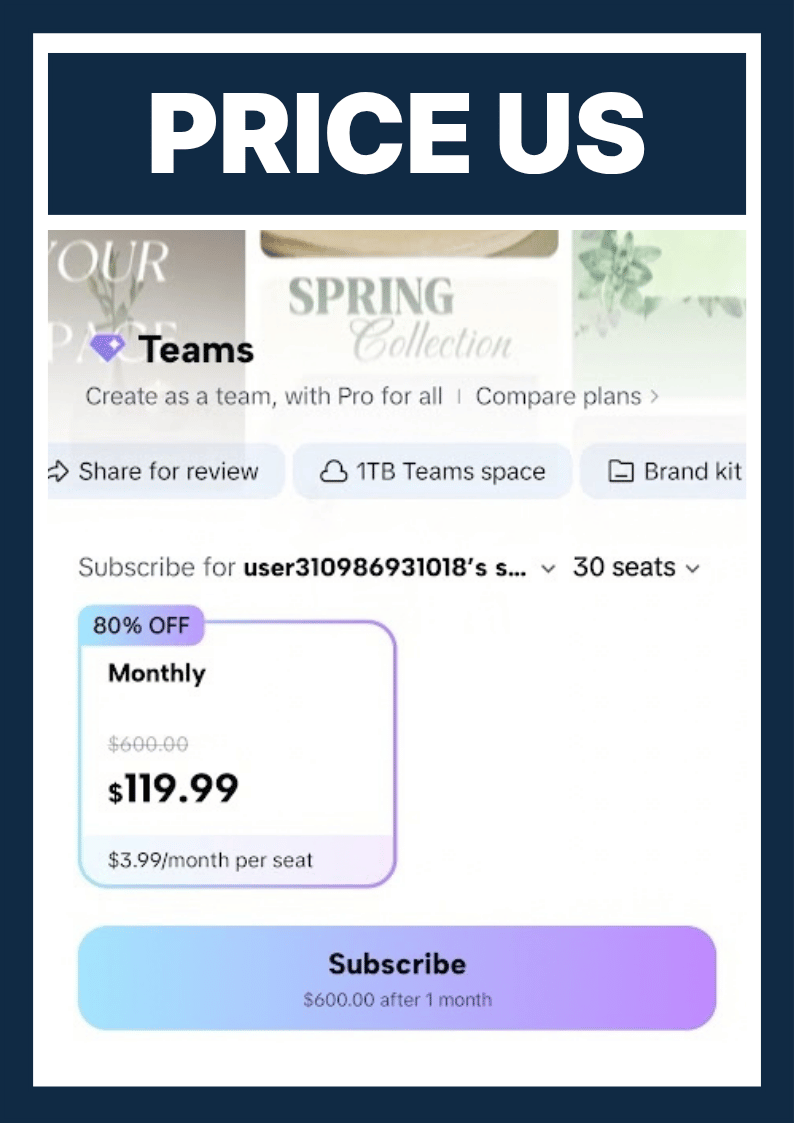
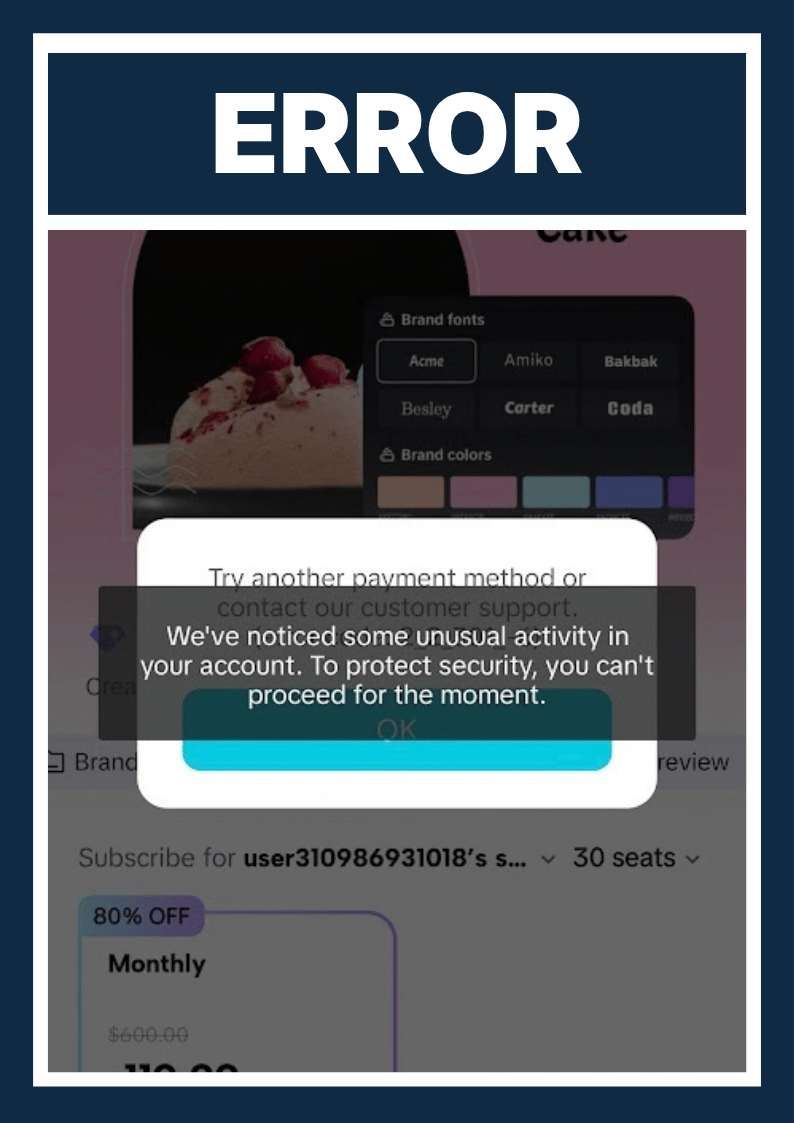
Teams pricing is not fixed. CapCut says price depends on country, number of seats, and billing cycle. In our own test, SEAMAE created a new CapCut account in the US and bought through the phone app. The in-app offer was $119.99 for the first month for 30 seats, then $600 per month for 30 seats. Promotional offers can fail if you create several accounts and buy repeatedly. SEAMAE has screenshots from this test.
Teams is not automatically better than Pro for one person. If you edit alone, you would pay for admin features you never use.
CapCut Ultra: for advanced AI video workflows
CapCut Ultra is for heavy AI users. It makes sense if you:
- Generate AI video often
- Extend or transform scenes with AI
- Produce many versions of the same content
- Use newer AI video models and advanced workflows
- Accept credit-based pricing, by use or by second
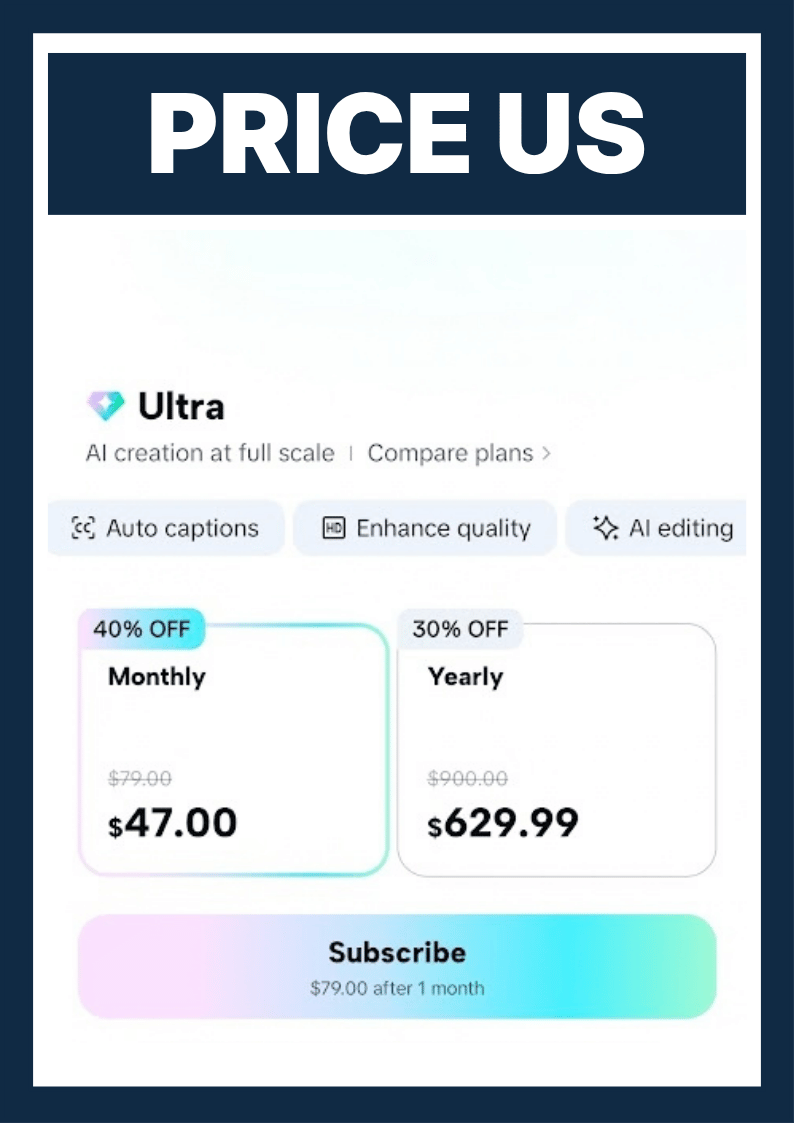
Ultra costs $79 per month or $900 per year. When SEAMAE tested an in-app purchase on a US phone, the price was $47 per month and $629.99 per year.
It includes all Teams features, plus enterprise tools such as SSO and access management, custom creative assets, priority support, advanced security, and 1 TB of cloud storage. You also get 8,645 monthly credits. CapCut states that Pro and Ultra can use these AI workflows with credits, and that use is counted by the second.
Why Pro is the best value for most creators
CapCut Pro is the best value for most creators because it solves four problems at once: export quality, AI tools, storage, and multi-device workflow.
- Versus Free: far fewer locked templates, AI tools, assets, and storage limits.
- Versus Standard: a stronger AI toolkit, desktop and web editing, more storage, and professional assets.
- Versus Teams: you skip team admin costs if you work alone.
- Versus Ultra: you skip the extra cost of high-end AI video if you mostly edit, caption, and make ads and social videos.
Here is an example. A New York clothing retailer makes 20 to 40 product videos a month. It should start with Pro and use brand templates, auto captions, background removal, and editing across desktop, web, and phone, then export clean. Move to Teams only when one person shoots, one edits, and one approves. Ultra only makes sense if most output is AI-generated video and credits get used often.
Commercial terms still need a check. Pro includes commercial-use assets with conditions. That does not mean all music, templates, fonts, stock, or third-party content is free to use in ads.
CapCut Pro Features Explained
CapCut Pro is a premium subscription for creators, businesses, and teams who want more professional editing. It adds AI tools, premium assets, collaboration, and high-quality export. Real features can vary by country, device, platform, and plan.
4K export quality
CapCut Pro can export at high resolutions such as 2K, 4K, or 4K at 60 FPS, depending on your device, operating system, source quality, and project settings. Some devices also support HDR if your footage and device are compatible. Free and Standard are limited to 1080p. Only Pro supports 4K at 60 FPS with HDR.
Benefits:
- Sharper video on YouTube, TikTok, and ad platforms
- A good fit for brand videos, product ads, travel, and professional content
- Clean export, without a watermark, for projects and assets that meet Pro's conditions
Output still depends on your source footage. Low-resolution video cannot become true 4K just by exporting it.
AI tools and auto captions
CapCut Pro includes AI tools that cut manual editing time. They include:
- Auto captions from speech in your video
- Translating or editing captions for multilingual content
- Background removal for people and objects, no green screen needed
- Camera and object tracking to attach text, images, and effects
- Voice separation from background music
- AI voice effects and text-to-speech
- AI avatars, AI images, and some AI-generated video
- Batch content creation for ads and social media
AI tools are not always unlimited. Some use credits, monthly limits, or specific plans.
Premium effects, templates, and transitions
Pro opens a professional library of video templates, text styles, visual effects, filters, body effects, music, sound, and transitions. This helps you:
- Build videos fast from ready-made templates
- Use stronger effects and transitions than the free tier
- Keep titles, captions, and branding consistent
- Make ads, sales videos, TikTok videos, and YouTube videos that look more polished
- Skip editing every clip by hand
The library updates often, so counts and tools can change.
Cloud storage and cross-device sync
Pro lets you save projects, videos, images, and assets in the cloud, so you can keep editing on phone, computer, and browser. CapCut currently lists Pro storage at 1 TB. Check the amount shown in your account and at checkout.
This helps when you:
- Start on your phone and finish on your computer
- Work on mobile, Windows, Mac, and web
- Back up projects before changing devices
- Share projects with teammates
- Manage libraries of images, audio, video, and brand templates
Cloud sync needs the correct login and an internet connection.
Commercial use and licensing
Pro is aimed at people who make commercial content. It can include assets marked for commercial use, along with team templates, a brand library, and review workflows. It helps if you make:
- Product and service ads
- TikTok Shop, Facebook Ads, and YouTube Ads content
- Brand intro videos
- Content for clients or businesses
Do not assume every asset in CapCut is licensed for commercial use. Before using a track, template, image, stock clip, font, or effect in an ad or for a client, check its license label. Rights can be limited by region, platform, content type, or the asset's own terms.
CapCut Pro Duration Plans Compared
At SEAMAE STORE, CapCut Pro is available for 7 days, 1 month, 3 months, 6 months, 1 year, or 2 years. Longer plans cost much less per month, and the 2-year plan has the lowest cost per day.
Comparison table: price, cost, commitment, best for
| Duration | Price (US) | Approx. cost per month | Approx. cost per day | Commitment | Best for |
|---|---|---|---|---|---|
| CapCut Pro 7 Days | $0.90 | n/a | About $0.13 | Lowest | Testing Pro or finishing one project |
| CapCut Pro 1 Month | $8.90 | $8.90 | About $0.30 | Low | A campaign or short freelance job |
| CapCut Pro 3 Months | $19.80 | About $6.60 | About $0.22 | Medium | A content series or seasonal push |
| CapCut Pro 6 Months | $29.80 | About $4.97 | About $0.17 | Medium-high | Steady creators who want to save |
| CapCut Pro 1 Year | $49.80 | About $4.15 | About $0.14 | High | Full-time creators and small teams |
| CapCut Pro 2 Year | $69.80 | About $2.91 | About $0.10 | Highest | Long-term users, lowest cost per day |
Per-month and per-day figures are rounded and based on 30-day months and 365-day years. The 7-day plan often sells out. For comparison, CapCut Pro costs about $19.99 per month if you subscribe directly with CapCut, so the SEAMAE prices above are lower.
You can use the discount code BETHECUT at SEAMAE STORE.
Account CapCut Pro 7 Day: testing Pro or finishing one project
The 7-day plan is the cheapest way to try CapCut Pro. It fits a single project or a quick test of 4K export, auto captions, and premium templates. Stock is limited and can run out fast.
Account CapCut Pro 1 Month: a campaign or a short-term freelance job
One month works when your need has a clear end date. Examples are a product launch, an ad campaign, or a short client job.
Account CapCut Pro 3 Months: a content series or seasonal push
Three months suits a content series, a holiday sale, or a seasonal push. You save compared to buying three single months.
Account CapCut Pro 6 Months: steady creators who want to save
Six months fits creators who post steadily and want a lower monthly cost without a long commitment.
Account CapCut Pro 1 Year: full-time creators and small teams
One year is a good match for full-time creators and small teams that edit every week. The cost per month falls below $5.
Account CapCut Pro 2 Year: long-term users and best cost per day
Two years gives the lowest cost per day. It suits anyone who already knows they will use CapCut Pro for a long time.
How to Choose the Right Duration
Choose the duration that matches how often you edit and how long your project runs. If you are unsure, start short, then move to a longer plan once Pro proves useful.
How often you edit
Edit once or twice a month? Pick 1 Month or 3 Months. Edit every week? Pick 6 Months or 1 Year. Edit nearly every day for work? The 1 Year or 2 Year plan gives the best value.
How long your project runs
Match the plan to the work. A single video fits 7 Days. A campaign fits 1 Month. A series or seasonal push fits 3 Months. Ongoing work fits 6 Months or longer.
Budget and total cost
Look at total cost, not only the price per month. A 2-year plan has the lowest monthly cost but the highest upfront payment. If cash is tight, 3 Months or 6 Months can be a safer middle path.
Quick decision guide
| If you... | Choose |
|---|---|
| Want to test Pro | 7 Days |
| Have one campaign or job | 1 Month |
| Run a series or seasonal push | 3 Months |
| Edit steadily and want to save | 6 Months |
| Create full-time | 1 Year |
| Want the lowest cost per day | 2 Year |
CapCut Pro vs. Competitors
CapCut Pro is built for fast social video with templates and AI tools. Other editors can be better when you need advanced color work, a one-time purchase, or a specific platform. Competitor details change often, so verify them before you rely on them.
Comparison table
| Editor | Price | Learning curve | Templates | AI tools | Platforms |
|---|---|---|---|---|---|
| CapCut Pro | About $19.99/month direct, or from $8.90/month at SEAMAE STORE | Easy | Large library | Very Powerful | iOS, Android, Windows, macOS, web |
| Adobe Premiere Pro | $22.99/month | Steeper | Basic | Strong | Windows, macOS |
| DaVinci Resolve | Free version available; paid Studio | Steep | Basic | Very Powerful | Windows, macOS, Linux, iPad |
| Filmora | $19.99/month | Easy | Large library | Strong | Windows, macOS |
| Final Cut Pro | One-time purchase $299.99 | Medium | Basic | Strong | macOS, iPadOS |
| InShot | $4.99/month | Very easy | Basic | Limited | iOS, Android |
CapCut Pro vs. Adobe Premiere Pro
Premiere Pro is a professional editor used in film, TV, and agency work. It offers deeper control for long, complex projects. CapCut Pro is faster for short vertical videos, captions, and templates. Pick CapCut Pro for social content. Pick Premiere Pro if you already work in the Adobe ecosystem or edit long-form projects.
CapCut Pro vs. DaVinci Resolve
DaVinci Resolve is known for color grading and has a free version. It has a steeper learning curve. CapCut Pro is simpler and quicker for social posts. If color grading and a free price matter most, Resolve may be the better fit.
CapCut Pro vs. Filmora
Filmora is a beginner-friendly editor, so it overlaps with CapCut on ease of use. CapCut Pro stands out for mobile, desktop, and web editing in one account, plus its template library. Compare current prices, since both change often.
CapCut Pro vs. Final Cut Pro
Final Cut Pro is a professional editor for Apple devices. If you edit only on a Mac and want a polished desktop workflow, it is a strong choice. CapCut Pro works across more platforms, including Windows and the web.
CapCut Pro vs. InShot
InShot is a mobile-first editor for quick, simple edits. If you only trim clips on your phone, it may be enough. CapCut Pro adds desktop and web editing, a deeper AI toolkit, and 4K export.
When a competitor is the better choice
Be honest about your needs. A competitor can be the smarter pick when:
- You only post short videos and the free CapCut plan is enough. Then you do not need to pay for anything.
- You need advanced color grading, and DaVinci Resolve's free version covers it.
- You edit long-form or film projects inside the Adobe workflow, where Premiere Pro fits.
- You work only on a Mac and prefer a one-time purchase, which may favor Final Cut Pro.
- You want only quick phone edits, where InShot may be enough.
CapCut Pro wins when you want one account for phone, desktop, and web, strong AI captions and background removal, and fast social content.
Blog post on video editor comparisons
Which CapCut Pro Plan Is Best for You?
The best CapCut Pro plan depends on how you create, how often you post, and how long you need Pro. Here are our suggestions by creator type.
TikTok and Instagram creators
Pick 3 Months or 6 Months. You post often, use templates and captions, and gain from fast vertical exports. If you post every day, move to 1 Year.
YouTubers
Pick 6 Months or 1 Year. Sharper 4K export, auto captions, and cloud sync between devices all help a steady upload schedule.
Freelance editors
Pick 1 Month for a single client project, or 1 Year if you have recurring clients. Check the license label on each asset before delivering client work.
Small business and marketing teams
Pick 1 Year as a start for product videos and ads. Brand templates, auto captions, and background removal save time. Move to CapCut Teams only when several people need shared review and approval.
Beginners trying Pro for the first time
Pick 7 Days or 1 Month. Test 4K export, AI tools, and premium templates before you commit to a longer plan.
How to Buy and Activate CapCut Pro at SEAMAE STORE
You can buy CapCut Pro at SEAMAE STORE in five steps, and the account arrives by email. SEAMAE STORE is an independent store. It is not the official CapCut seller and is not affiliated with CapCut or ByteDance.
Step-by-step ordering
- Choose the CapCut Pro Account option and pick 7 Days, 1 Month, 3 Months, 6 Months, 1 Year, or 2 Year.
- Add the product to your cart.
- Pay with cryptocurrency or a card.
- Receive your CapCut Pro account by email once you complete checkout.
- Download the latest official CapCut app from Google Play or the App Store, sign in with the account from your email, and start editing.
Instant delivery and activation guide
Delivery speed is instant. SEAMAE signs up the CapCut Pro, Teams, or Ultra plan for you. After you sign in, CapCut verifies the subscription and the premium assets, effects, tools, and features open up on web, mobile (iOS and Android), and desktop (Windows and macOS).
Some products let you change the password and some do not. The product page states this for each plan. Each account is sold to one buyer only and is checked before it reaches you.
Payment methods
SEAMAE STORE accepts:
- Cryptocurrency (BTC, USDC, USDT, and more)
- Credit cards
- Prepaid cards
- Discount codes
Warranty, replacement, and refund policy
- The warranty period is listed on each product page.
- If your login stops working during the warranty period, contact support with your order ID for a free replacement or repair.
- The warranty does not cover problems caused by changing the password when it is not allowed, sharing the account, or breaking the product's terms.
- All account products have a 7-day refund window from delivery. It applies if the account does not work as described and we cannot fix it or provide a replacement.
- To request a refund, contact support with your order ID within the 7 days.
- The same exclusions apply to refunds.
- Approved refunds go back to the original payment method within 3 to 7 business days.
Why Buy from SEAMAE STORE
SEAMAE STORE offers CapCut Pro accounts at lower prices than a direct subscription, with email delivery, support, and a 7-day refund window. We are not an agent of CapCut and we do not receive commission from CapCut.
Genuine products, support, reviews
- Real subscriptions: SEAMAE buys the CapCut Pro, Teams, or Ultra subscription in the CapCut app and passes access on to you.
- Not shared: each account is private, and we do not sell the same account to several customers. You can sign in on up to 2 devices.
- Support: contact us with your order ID for replacements and refunds.
- Creator partner: SEAMAE works with BeTheCut, a YouTube channel that teaches CapCut editing, with more than 80,000 subscribers, over 500 videos, and more than 5 million views. Watch the channel here: https://www.youtube.com/@BeTheCut. Use code BETHECUT at checkout.
- Reviews: Coming soon
Is it profitable, and is it legal? We make only a small margin, much less than people assume, because we pay for each CapCut Pro plan in the CapCut app and then pass access on. Whether use is legal depends on how you use the account. Using it to harm CapCut would be illegal.
What You Get with SEAMAE STORE ?
You get a private CapCut account with an active paid plan, delivered by email. It differs from an official purchase in who owns the subscription and who handles billing.
- Account type: a private CapCut account, not shared with other buyers. SEAMAE subscribes to the Pro, Teams, or Ultra plan for you.
- Devices: safe sign-in on up to 2 devices.
- Platforms: web, mobile (iOS and Android), and desktop (Windows and macOS).
- Region: Global.
- Delivery: instant, by email.
- Support: warranty and refund terms are listed above and on each product page.
- Renewal: You can renew a CapCut Pro plan that you previously purchased once from SEAMAE, but you can't renew a CapCut Pro plan that you bought from anywhere else.
How it differs from buying directly:
| Item | Official purchase | SEAMAE STORE |
|---|---|---|
| Account owner | You, with your own email | A private account provided by SEAMAE |
| Billing | Paid to CapCut or the app store | Paid to SEAMAE |
| Price | About $19.99/month for Pro | From $8.90/month for Pro |
| Help if it breaks | CapCut support | SEAMAE support, warranty, and refund policy |
| Changing login details | Full control | Depends on the product page |
Because the account is provided by SEAMAE, avoid storing sensitive files, client data, or private videos in its cloud space. For those, an account you own is the safer route. Always read CapCut's terms of service.
CapCut Guides and Tips
These guides help you get more from CapCut.
- How to add auto captions in CapCut -> blog post coming soon
- How to export in 4K in CapCut -> blog post coming soon
- CapCut Free vs. Pro: what changes -> blog post coming soon
- How to remove a background in CapCut -> blog post coming soon
- CapCut safety and privacy checklist -> blog post coming soon
- Best CapCut templates for product videos -> blog post coming soon
- BeTheCut CapCut tutorials -> https://www.youtube.com/@BeTheCut
Frequently Asked Questions
Which CapCut plan is best?
CapCut Pro is the best value for most creators. It adds 4K export, a full AI toolkit, 1 TB of storage, and desktop and web editing. Free suits casual use. Teams suits groups. Ultra suits heavy AI video work. If you edit alone and post often, start with Pro.
What is the difference between CapCut Free, Standard, and Pro?
Free costs $0 and limits templates, AI, and storage. Standard adds more assets, about 100 GB of storage, and basic AI, but exports at 1080p. Pro adds 4K at 60 FPS with HDR, the full AI toolkit, 1 TB of storage, and 1,200 monthly credits.
Is CapCut Pro better than Standard?
Yes, for most serious creators. Pro offers 4K export, advanced AI tools such as tracking and AI avatars, 1 TB of storage, and desktop and web editing. Standard is mobile-focused and stops at 1080p. If you only make simple phone videos, Standard may be enough.
Is there a CapCut Ultra plan, and do I need it?
Yes, CapCut Ultra exists. It costs $79 per month or $900 per year and includes 8,645 monthly credits. You only need it if you generate AI video often. If you mostly edit, caption, and make social videos or ads, Pro is enough.
Which duration should I choose?
Match the plan to your project. Use 7 Days to test Pro, 1 Month for a campaign, 3 Months for a series, and 6 Months for steady posting. Choose 1 Year for full-time work and 2 Year for the lowest cost per day.
Is a 2-year plan worth it?
It is worth it if you know you will edit for a long time. At $69.80, it costs about $2.91 per month, the lowest rate we offer. If you are unsure, start with 3 or 6 months. The upfront cost is also the highest.
Is CapCut Pro better than Premiere Pro or DaVinci Resolve?
It depends on your work. CapCut Pro is faster for short social videos, templates, and AI captions. Premiere Pro and DaVinci Resolve offer deeper control for long or complex projects. Pick the one that matches the videos you make most often.
Does CapCut Pro remove the watermark?
Usually yes. Pro lets you export without a watermark for projects and assets that meet CapCut's conditions. Some third-party or premium assets can still carry their own limits, so check before exporting. Free can also export clean in some cases, but premium templates may add restrictions.
How fast is delivery and how do I activate?
Delivery is instant by email after checkout. Download the latest official CapCut app from Google Play or the App Store, then sign in with the account we send you. CapCut verifies the subscription and the premium features open across web, mobile, and desktop.
What if my account stops working?
Contact SEAMAE support with your order ID. During the warranty period, we repair or replace the account for free. If we cannot fix it, you can request a refund within 7 days of delivery. Warranty exclusions apply, such as unauthorized password changes or account sharing.
Is buying from SEAMAE STORE safe?
We built our process to be safe: private accounts, email delivery, a warranty, and a 7-day refund window. You can pay with crypto or card. We are an independent store, not CapCut. Read the policy pages and product details before you buy.
Is CapCut banned in the US?
No. As of September 2026, CapCut is reported as available on the App Store and Google Play in the US. CapCut has been part of legal debates around TikTok and ByteDance, so availability could change. Check your app store when you install.
Is it legit/safe to buy a third-party plan?
A third-party plan is not an official purchase, so you rely on the seller's policies. Look for a clear warranty, refund terms, and secure payment. Avoid storing sensitive data in an account you do not own.
Can I use it on multiple devices?
Yes, up to 2 devices. Each SEAMAE account allows safe sign-in on up to 2 devices, and it works across web, mobile, and desktop. Do not share the account with other people, because sharing voids the warranty.
Can I renew?
You can renew a CapCut Pro plan that you previously purchased once from SEAMAE, but you can't renew a CapCut Pro plan that you bought from anywhere else.
Is commercial use allowed?
Often yes, with conditions. CapCut Pro includes assets marked for commercial use, but not every track, template, font, or stock clip is cleared for ads. Check the license label on each asset before using it for clients or paid campaigns, and review CapCut's current terms.