In 2026, the demand for high-retention, hyper-engaging short-form content has absolutely exploded. Attention spans are shorter than ever, and having the right video editing software is no longer just a luxury—it is a massive competitive advantage. If your content doesn’t hook viewers in the first three seconds, you lose.
This ultimate guide breaks down everything you need to know about mastering modern video creation. From leveraging cutting-edge AI workflows to understanding licensing structures, we are here to help creators, agencies, and businesses make an informed decision.
To help you scale your production without breaking the bank, SEAMAE is proud to be your trusted global partner. We specialize in providing authentic, instant, and highly cost-effective digital software licenses, ensuring you get the absolute best value when you are ready to buy CapCut Pro.
Main content
What is CapCut Pro & Why Is It Revolutionizing Video Editing?
The Paradigm Shift
Gone are the days when CapCut was just a simple mobile app for quick TikTok trends. Today, CapCut Pro PC has evolved into a desktop powerhouse, democratizing high-end video production. It bridges the gap between amateur social media editing and professional-grade post-production, allowing anyone to produce cinematic quality from their laptop.
The Core AI Engine & Workflow
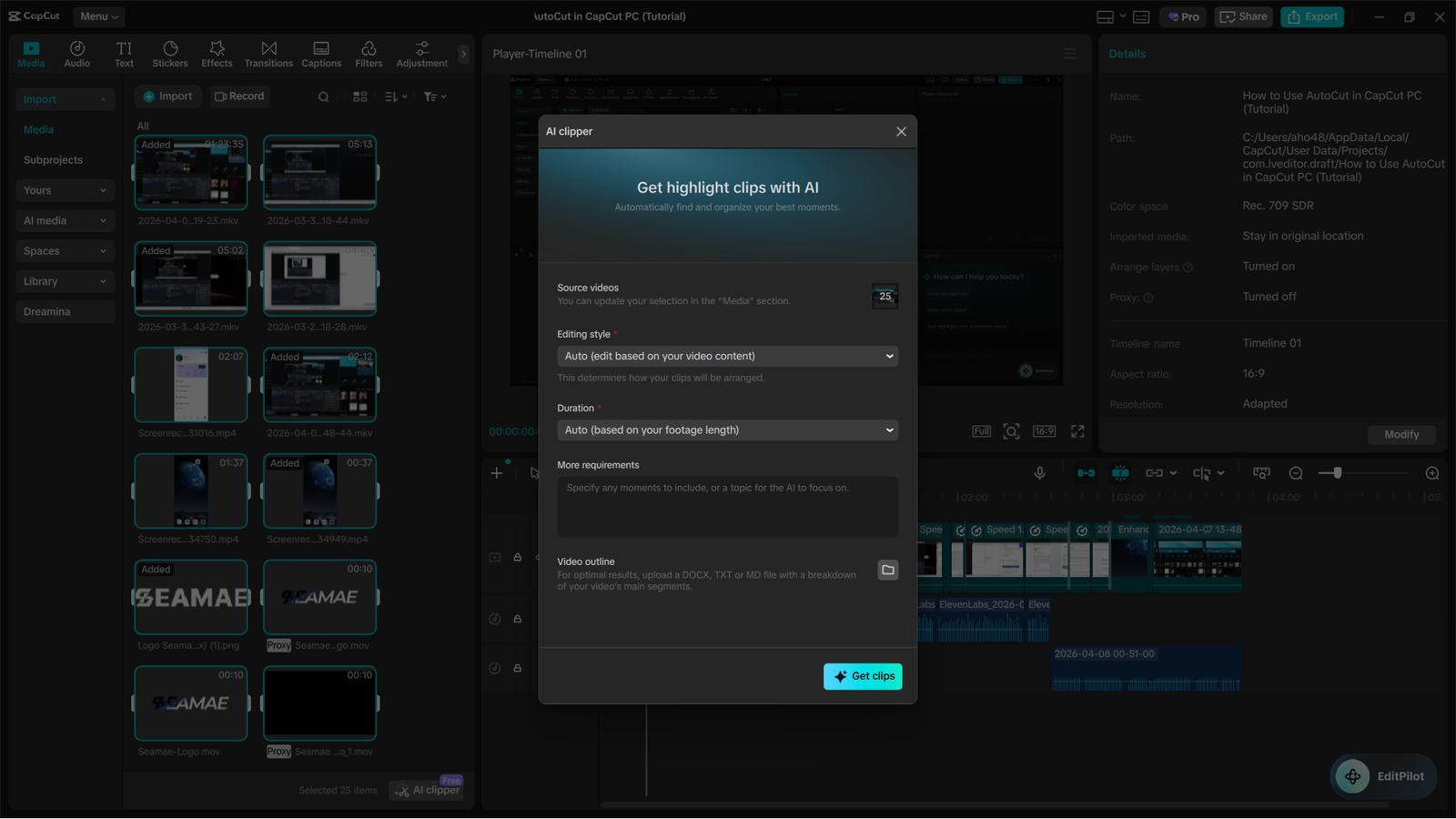
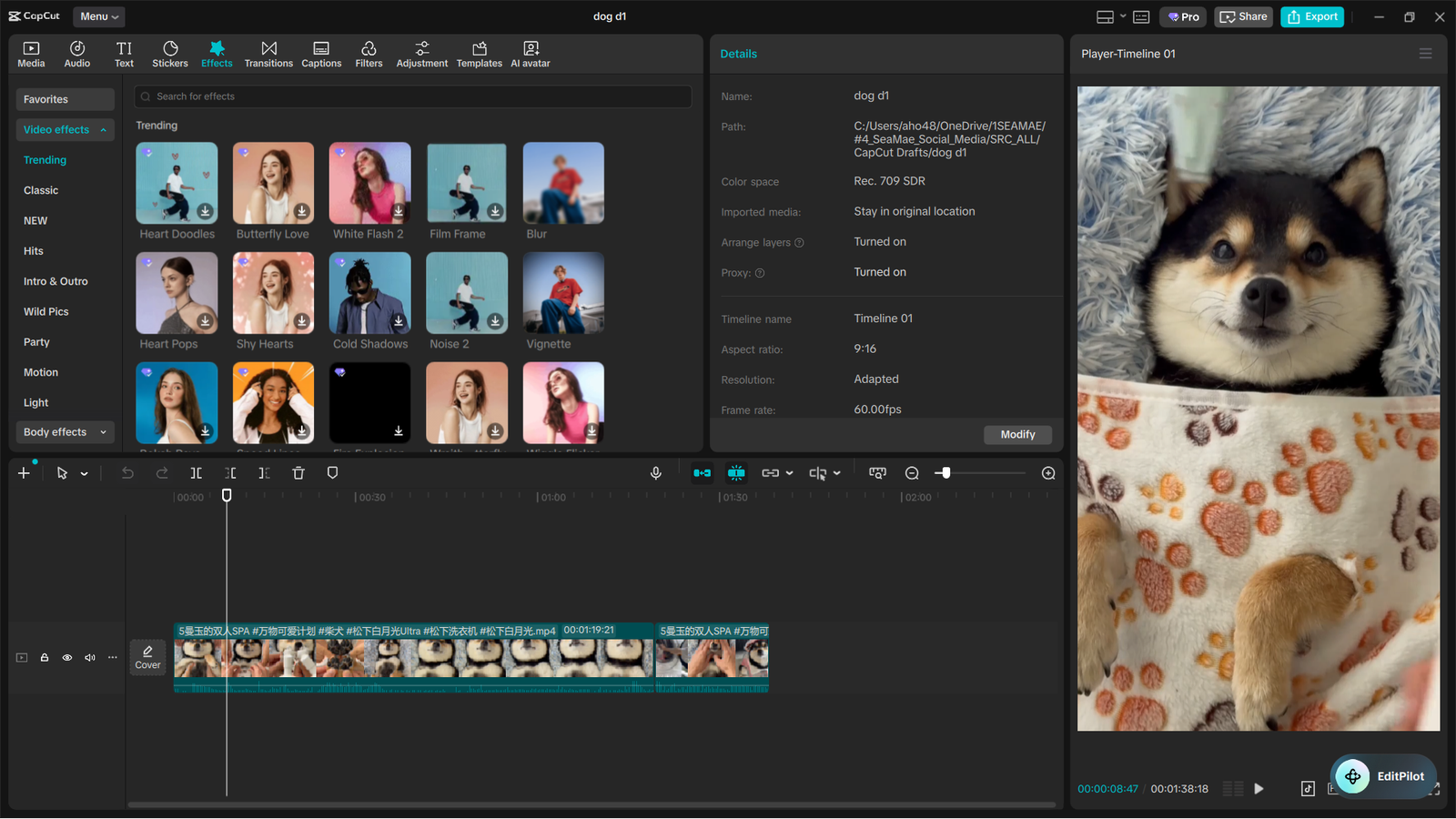
As a professional editor, the most valuable metric is “time-to-publish.” CapCut’s proprietary AI operates under the hood to automate incredibly tedious tasks. Features like: AutoCut (AI Clipper) in CapCut to create videos automatically, one-click rotoscoping, intelligent auto-framing, and dynamic keyframing drastically reduce manual labor. Instead of spending hours masking a subject, the AI handles it in seconds, letting you focus entirely on storytelling.
Top Video Editing Technology Trends for 2026
AI-Driven Storytelling
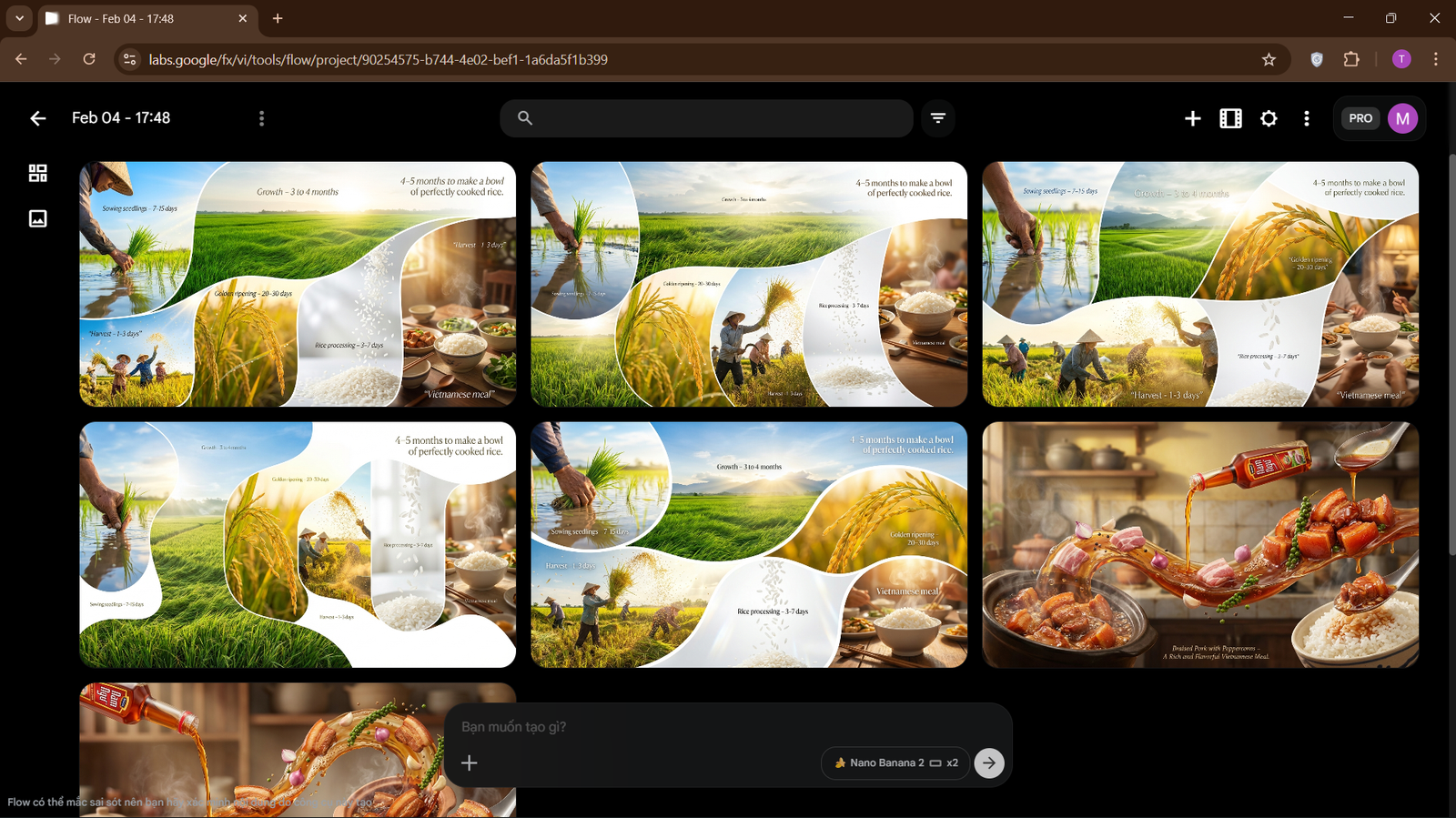
The landscape has shifted entirely toward artificial intelligence. In 2026, top-tier editing requires access to generative AI B-roll, flawless voice cloning, and dynamic pacing algorithms native to modern editors. These tools allow single creators to output the volume and quality of a full production team. Examples include the very popular Flow tool from Google, kling.ai, and many others.
The “Post-Once, Everywhere” Era
Creators no longer have the time to manually recut a video for YouTube, Instagram, and TikTok separately. The growing necessity for rapid, intelligent aspect-ratio reframing and automated multi-platform export pipelines is exactly why smart creators rely heavily on CapCut Pro premium features.
CapCut Free vs CapCut Pro: The Ultimate Comparison
Is the upgrade actually worth it? Let’s look at the data. Here is exactly what separates the casual user from the professional.
The Feature Matrix Table
| Feature | CapCut Free | CapCut Pro |
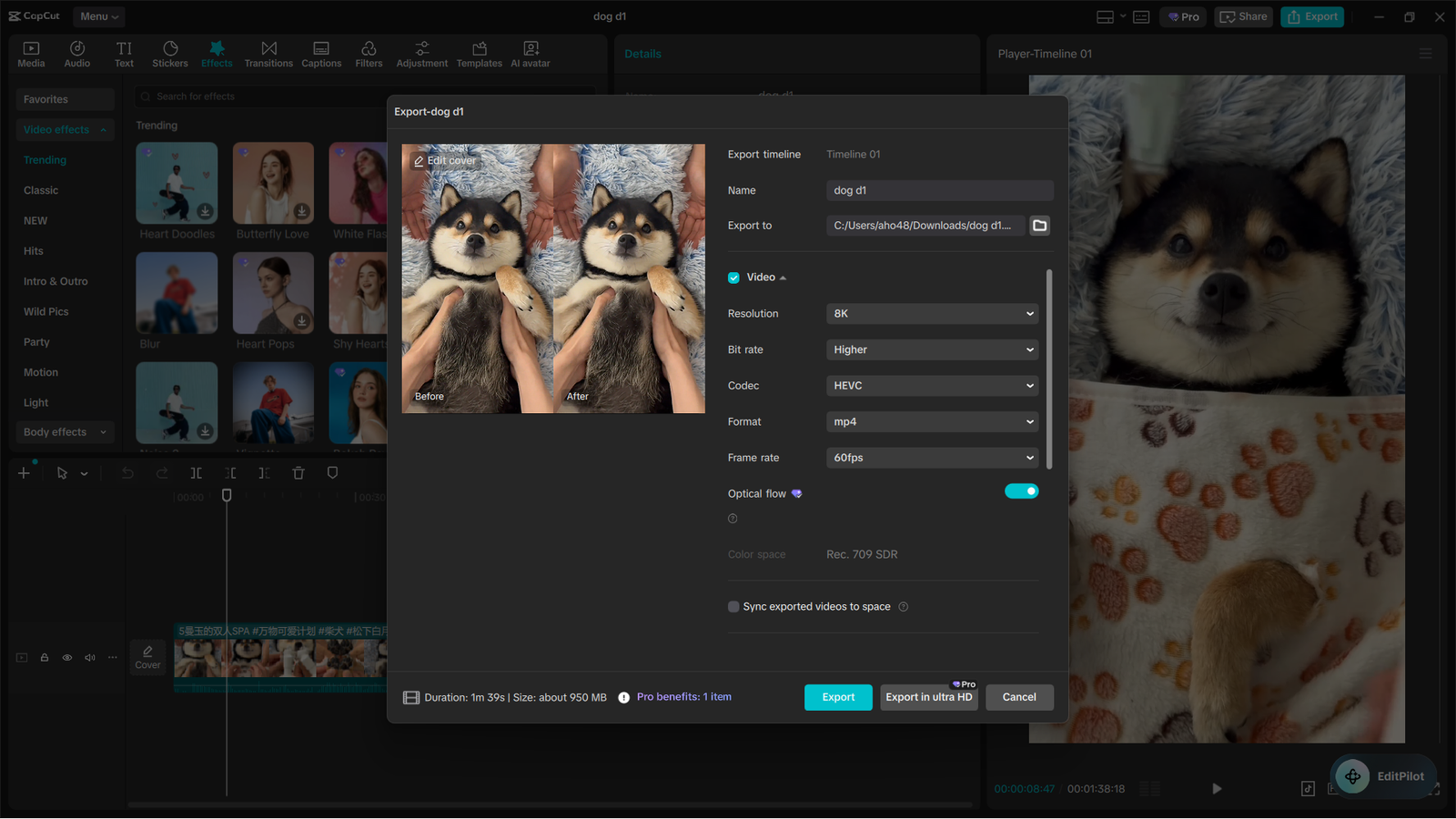
| Max Export Quality | 1080p / Standard | Ultra HD / 8K / 60fps / High Bitrate |
| Transitions & Effects | Basic Library | Exclusive VIP Pro Effects |
| Color Grading | Manual Adjustments | AI Color Match & Pro LUTs |
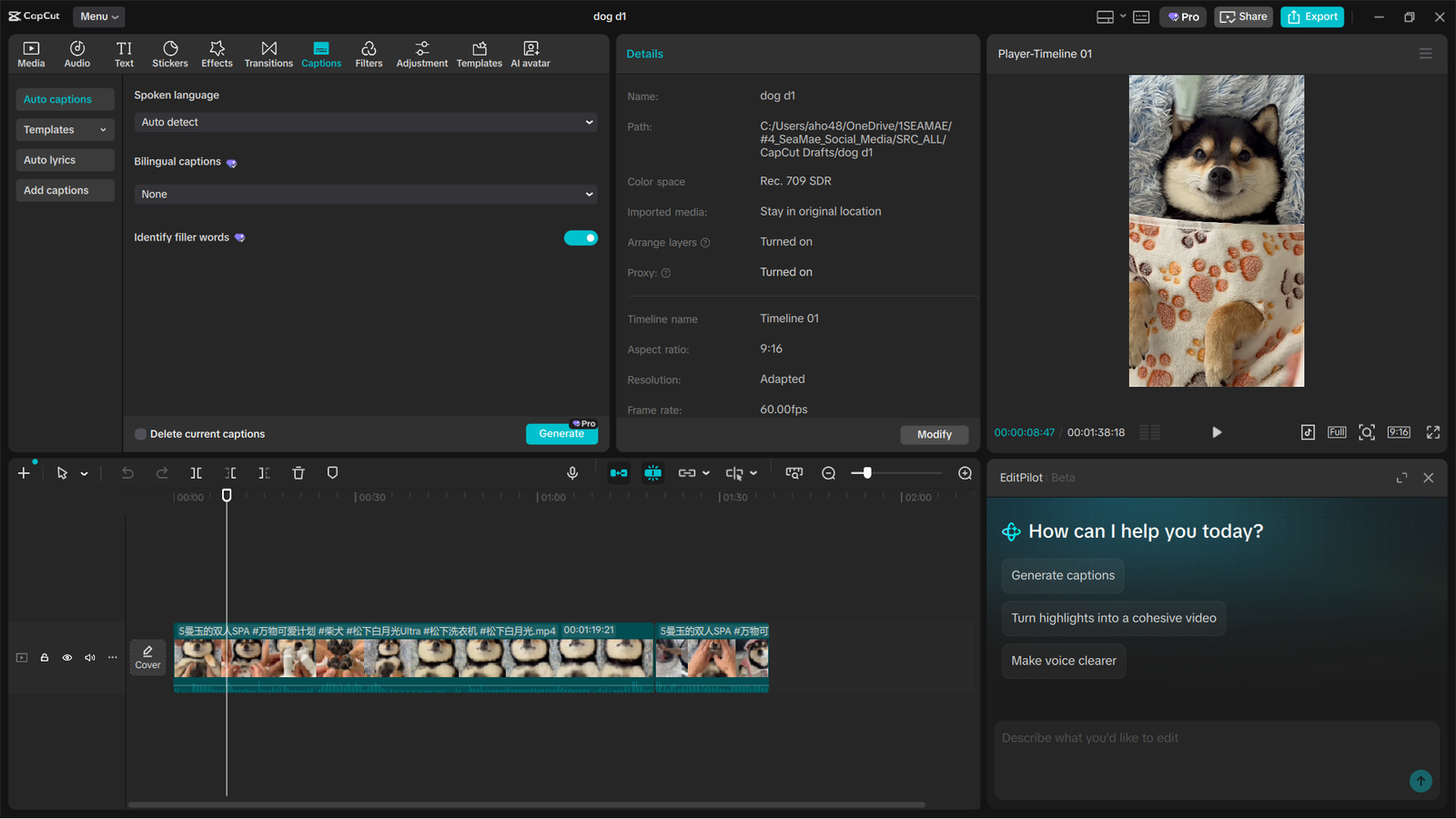
| Captions | Standard Auto-Captions | Dynamic & Multilingual Pro Captions |
| Commercial Rights | Personal Use Only | Cleared Commercial Licensing |
| Watermarks | Present on Pro Templates | 100% Watermark-Free |
The Tipping Point
Every creator hits a wall with the free version. The tipping point usually occurs when that pesky watermark appears on a trending pro template, or when a brand asks you to sign a contract requiring commercial rights for your client work. Upgrading is the only way to ensure your content is legally protected and visually uncompromised.
Ecosystem Breakdown: Mobile vs PC vs Web
Platform Strengths
CapCut’s genius lies in its multi-platform ecosystem.
- Mobile: Perfect for on-the-go reactivity, allowing you to shoot and edit trending formats instantly.
- CapCut Pro PC: Built for heavy timeline lifting, complex layering, and rapid keyboard shortcut workflows.
- Web: Ideal for quick, browser-based edits when you are away from your primary workstation.
Cloud Storage & Multi-Device Syncing
The massive workflow benefit of the Pro tier is seamless cloud syncing. You can start cutting a rough draft on your smartphone while riding the train, and instantly pick up the project to finish the color grade and sound design on your desktop at the studio.
Why Invest in the Premium Version?
Evaluating Your Purchasing Criteria
When you look at CapCut pricing, it is essential to understand what you are actually buying. You aren’t just buying software; you are unlocking faster cloud rendering speeds, unlimited access to trending VIP templates, and exclusive commercial-use audio and visual assets that keep you out of copyright trouble.
The Value of Time
Do not frame the upgrade as an expense. Frame it as an investment. If CapCut Pro premium features save you just three hours of manual editing per week, what is that time worth to your business? The return on investment (ROI) is immediate for anyone who creates content consistently.
Buying Advice: Which User Are You?
Content Creators & Influencers
You need speed and polish. Focus heavily on viral templates, advanced auto-captions, and the AI beauty/retouching filters that are crucial for maintaining a pristine personal brand across all uploads.
Marketing Agencies & Social Media Managers
Efficiency and compliance are your lifelines. You will rely heavily on brand kits, the cleared commercial music library, team collaboration folders, and batch-rendering capabilities to manage multiple client accounts effortlessly.
Hobbyists & Beginners
Don’t be intimidated. CapCut’s gentle learning curve is unmatched. The Pro features act as invisible “training wheels,” automatically correcting bad lighting and smoothing out audio, guaranteeing professional-looking content from day one.
CapCut Pro vs The Industry Heavyweights
CapCut Pro vs Premiere Pro & Final Cut
We are witnessing a massive shift from legacy timeline editors to AI-first editors. While Premiere Pro still holds an edge in massive feature film productions, CapCut Pro is vastly superior for social-media-native workflows. It strips away the bloat and delivers exactly what modern creators need.
Comparing Top AI Features Head-to-Head
When put to the test against heavyweights like DaVinci Resolve, CapCut’s AI is staggering. Features like one-click Auto-Captions, instant Vocal Isolation, and Auto-Background Removal match or outpace legacy software in sheer speed and accuracy—all without requiring a $3,000 graphics card.
5 Expert Tips: Avoid These Common CapCut Workflow Mistakes
As a daily user, I see creators making the same workflow errors over and over. Here is how to edit like a pro:
- Don’t Over-Rely on Auto-Beats: The AI beat-matcher is great for a rough cut, but always go in and manually adjust clips by a few frames to make the edit feel human and dynamic.
- Organize Your Cloud Assets: Failing to use folders in your CapCut Cloud will lead to a chaotic workspace. Categorize by client, project, or asset type.
- Combine AI Features: True workflow optimization happens when you stack tools. Try combining Auto-Cut with Pro Transitions for a flawless, high-energy flow.
- Clean Your Audio First: Always use the Pro “Vocal Isolation” tool before adding background music to ensure your voice cuts through the mix cleanly.
- Watch Your Bitrate: Exporting at the wrong bitrate ruins great footage. Never rely on default settings for high-stakes uploads.
Ultimate Optimization: Best Practices for TikTok, Reels & Shorts
Platform-Specific Rules
To maximize algorithmic reach, your technical execution must be perfect. Keep the first 3 seconds visually dynamic with fast cuts or zoom-ins. Always use trending Pro audio tracks, and ensure all text and stickers stay within the “safe zones” so they aren’t covered by the platform’s UI buttons.
Export Settings Masterclass
To avoid the terrible compression degradation on Instagram and TikTok, use these exact export settings in CapCut Pro PC:
- Resolution: 1080p (4K is often downscaled poorly by social apps).
- Frame Rate: 30fps or 60fps (depending on your source footage).
- Codec: H.264 (for the best balance of quality and file size).
Pricing Guide: Official Retail vs The SEAMAE Advantage
The 2026 Pricing Table
Why pay full price when you don’t have to? Here is a clear, honest comparison of the official direct-from-app pricing versus SEAMAE’s specialized global rates.
| Subscription Tier | Official App Pricing | SEAMAE Global Rate |
| 1-Month License | $9.99 – $19.99 | $1.65 (Prices apply when purchasing a 2-year plan) |
| 1-Year License | $119.99 – $199.99 | $19.8 (Up to -78% Off Retail) |


Microsoft 365 Premium 5 Year, 6 Users (Genuine License)
Original price was: $399.00.$146.60Current price is: $146.60.

Canva Pro 2 Year Upgrade Subscription (Global)
Original price was: $180.00.$39.60Current price is: $39.60.
CapCut Pro Subscription (iOS, Android, PC) 2 Year – Global Vip Pro Max
Original price was: $180.00.$39.60Current price is: $39.60.Where to Buy Authentic Licenses Safely
If you are looking to buy CapCut Pro, SEAMAE is the ultimate destination. Because we utilize bulk retail licensing and localized currency optimization, we pass massive savings directly to you. We guarantee 100% authentic licenses, instant digital code delivery to your inbox, and zero hidden fees.
Frequently Asked Questions (FAQ)
Can I use CapCut Pro for client work?
Absolutely. Upgrading to Pro unlocks full commercial rights for the included effects, transitions, and commercial music library, making it perfectly safe for agency and freelance client work.
How many devices can I log into with one SEAMAE CapCut Pro license?
A single license is tied to your CapCut account. You can log into that account across your mobile phone, tablet, and PC, utilizing the cloud sync across all your personal devices.
What payment methods does SEAMAE accept, and how fast do I get my code?
SEAMAE accepts all major credit cards and cryptocurrency. Please note that identity verification is required for all purchases (read our article on why we verify identity: https://seamae.store/seamae-payments-why-your-privacy-comes-first/ ). Your authentic digital activation code is delivered instantly to your email upon successful checkout.
What do I do if my Pro features aren’t syncing across devices?
Simply ensure you are logged into the exact same account (e.g., via the same Google or TikTok login) on both devices, and check that your cloud sync toggle is turned on in the settings menu.
How does the subscription renewal work through SEAMAE?
When you purchase a license through SEAMAE, it is a one-time digital purchase for the duration of the code (e.g., 1 year). It will not auto-charge your card unexpectedly. You can simply return to SEAMAE to buy a new discounted code when you are ready to renew.
Stop Wasting Hours on Manual Edits.
Your time is your most valuable asset. Every minute you spend manually masking out a background or typing out captions is a minute you could have spent shooting your next viral video. It is time to upgrade your workflow and leave your competition in the dust.
Unlock your editing potential today. Get your authentic CapCut Pro license instantly via SEAMAE and save up to -78% on your global subscription!