
If you’d rather not go through identity verification (KYC) when paying by card, you can use our voucher-based method. Here’s how it works.
How It Works
- Visit one of our partner websites and purchase a Credits, Gift Card, or E-Voucher product.
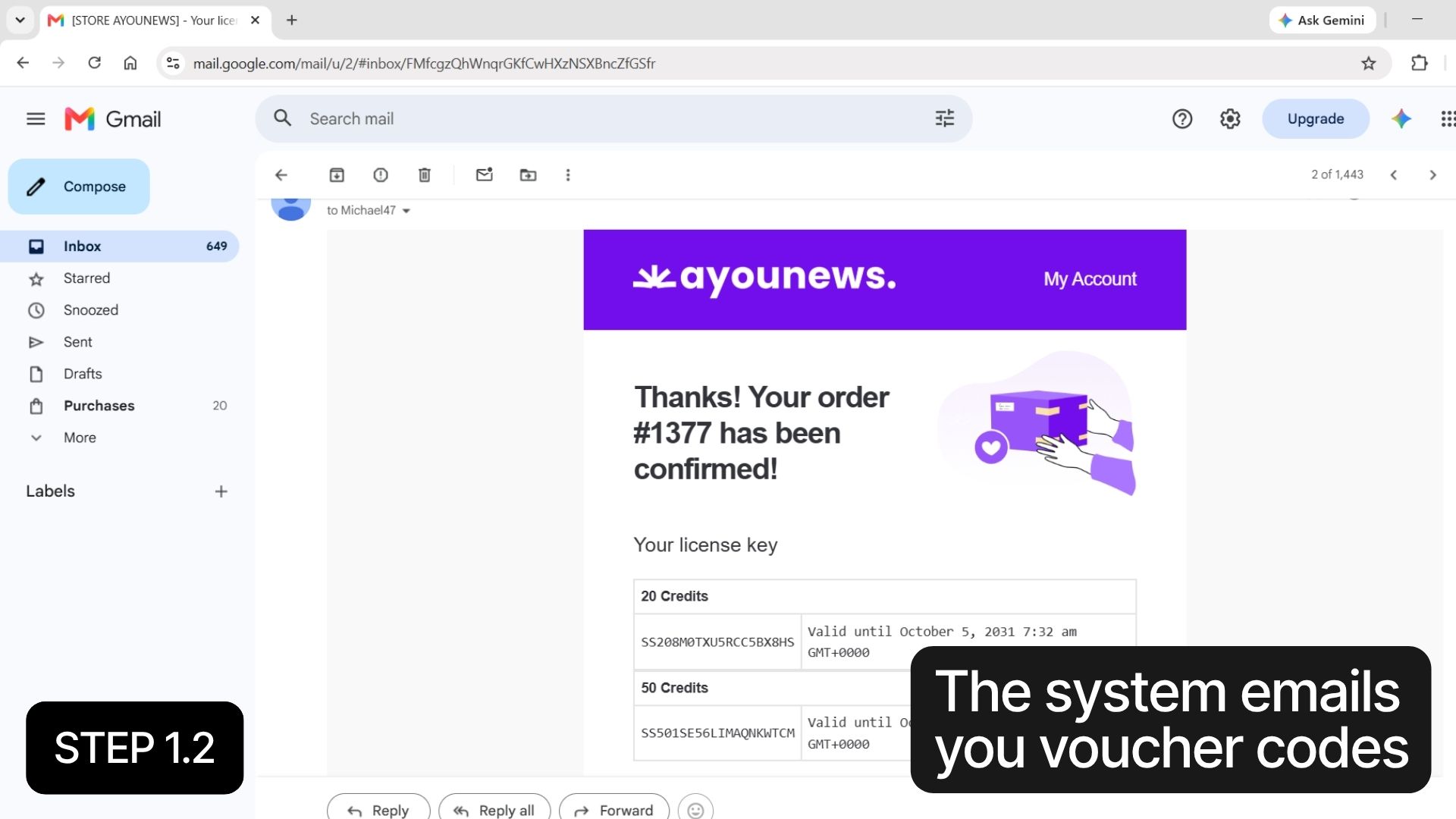
- After your purchase, the partner sends you a voucher code (or several) by email.
- Enter the code at checkout in the SEAMAE STORE. The voucher’s value is deducted from your order total.
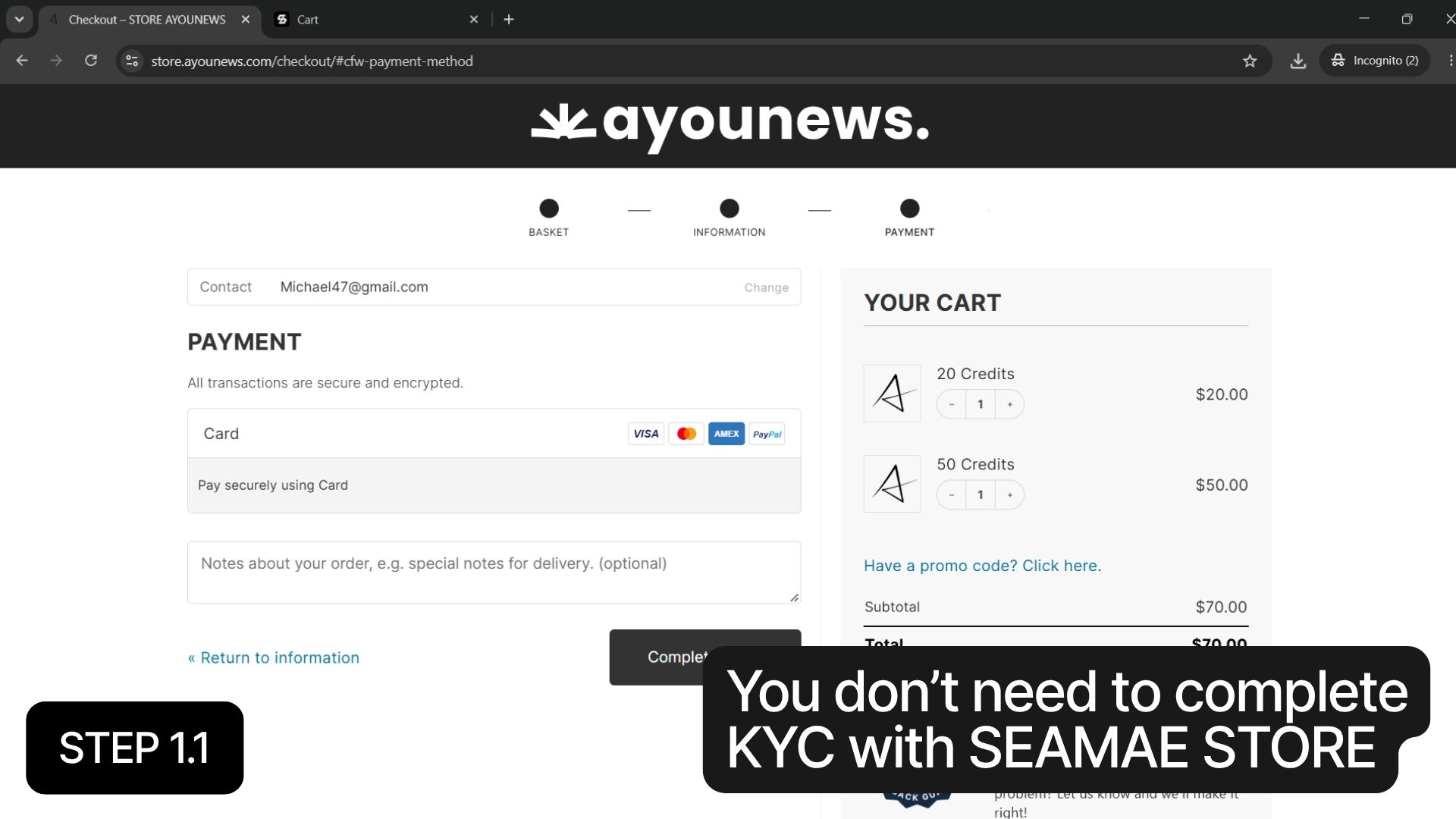
Because your card payment happens on the partner’s website, you don’t need to complete KYC with SEAMAE STORE.
Example: Buying CapCut Pro (2 Years) for $69.80
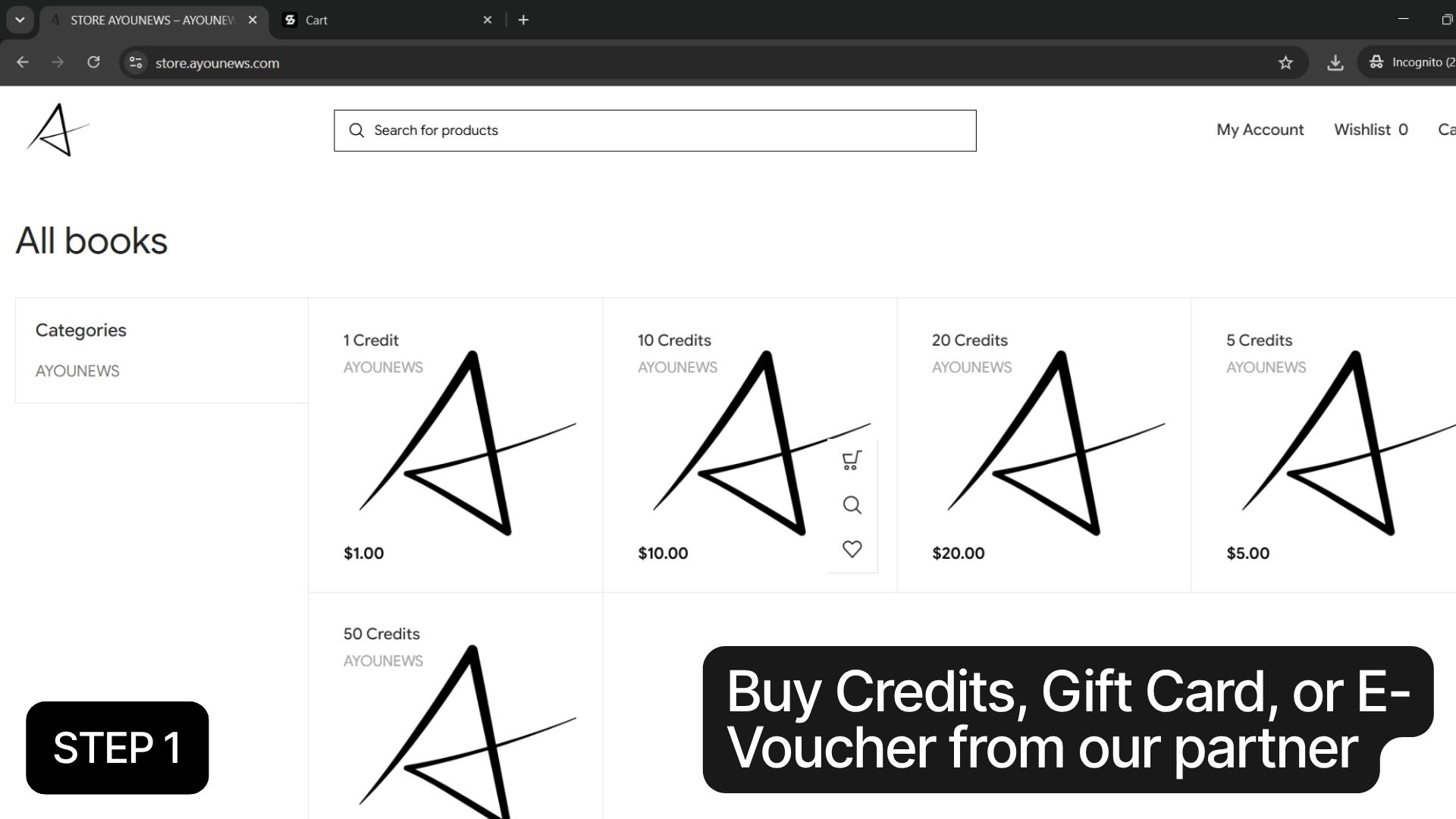
Step 1: Buy Credits from our partner.
Go to the partner website (STORE.AYOUNEWS.COM) and purchase 70 Credits. Once your payment goes through, the system emails you voucher codes with a total value of $70.
Step 2: Add the product to your cart.
Go to SEAMAE STORE and add the CapCut Pro 2-Year Account to your cart.
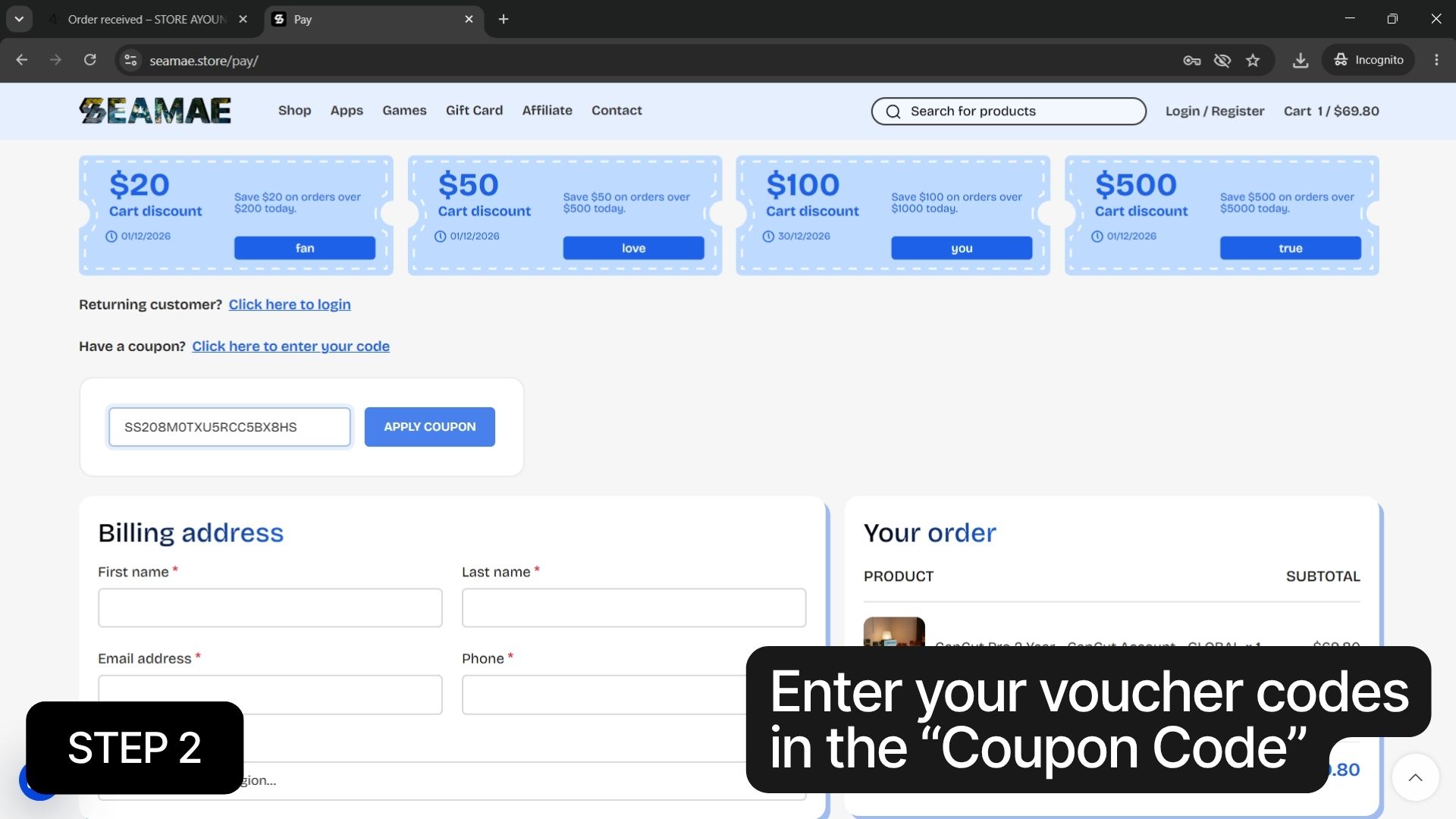
Step 3: Apply your voucher codes.
At checkout, enter your voucher codes in the “Coupon Code” field and click Apply.
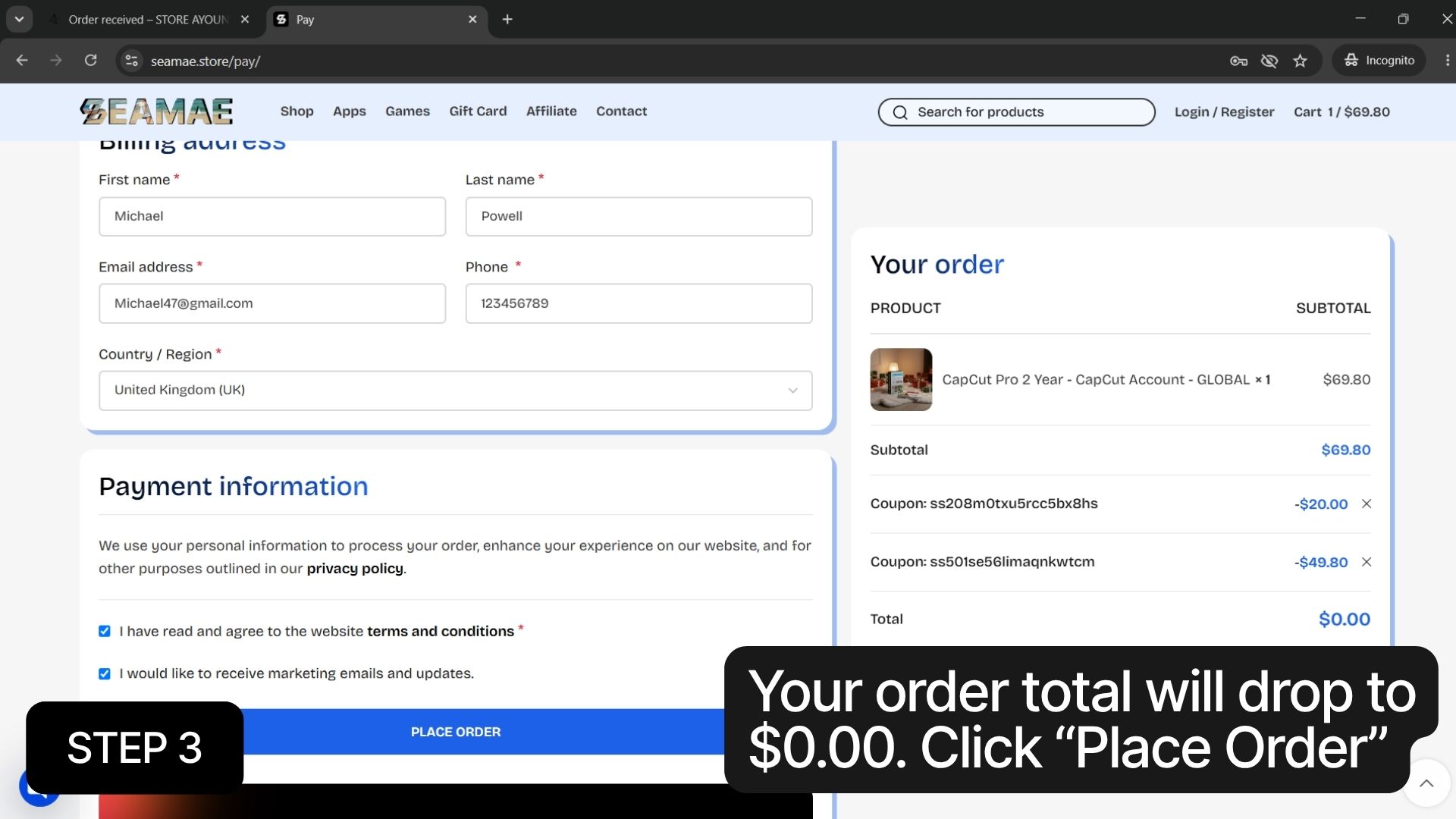
Step 4: Complete your order.
Your order total will drop to $0.00. Click Place Order (or Pay) to finish.
After Your Purchase
Once your order is complete, your CapCut Pro 2-Year Account details will be sent to your email. You can also find them anytime in your SEAMAE STORE account under your order history.
Partner
Tips
- Choose the right amount. Make sure your total voucher value is equal to or greater than your order total. In the example above, $70 in Credits covers a $69.80 product.
- Enter every code. If you received more than one voucher code, apply all of them before checking out.
- Check your spam folder. If your voucher email doesn’t arrive within a few minutes, look in your spam or promotions folder.
- Need help? If you run into any problems, contact our support team and include your order number.